How to Hide TV Cords on a Mounted TV?
You finally mounted your TV on the wall. It looks sleek, modern, and saves so much space. Then you look down. A messy tangle of black cables hangs from the bottom of the TV, trailing down to the outlet. Ugly. Dangerous for pets or kids. And it completely ruins the clean look you wanted.
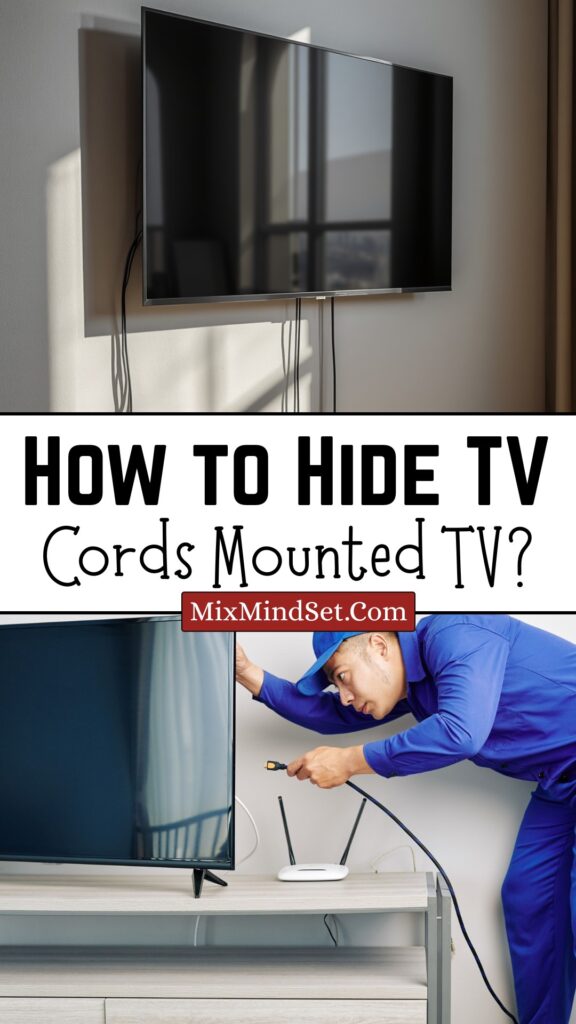
The good news? Hiding those cords is easier than you think. You do not need to hire an electrician for most solutions. With a few tools and an hour of time, you can make those cables disappear.
This guide covers every method – from cheap and quick to permanent and professional. You will learn how to hide cords inside the wall, behind furniture, with cord covers, and even wirelessly. No more ugly dangling wires. 🧹
Quick Navigation
1. Why Hiding TV Cords Matters (Safety & Aesthetics)
You might think dangling cords are just an eyesore. But they are also a real safety risk.
| Problem | Why it matters |
|---|---|
| Tripping hazard | Cords across the floor can cause falls, especially for children or elderly. |
| Pet & child danger | Puppies and toddlers chew on or pull cords, risking electric shock or pulling the TV down. |
| Dust collector | Exposed cords gather dust and look messy within days. |
| Reduced home value | Buyers notice sloppy cable management. It makes a room feel unfinished. |
| Aesthetic fail | A beautiful mounted TV deserves a clean look. Cords ruin the illusion of a floating screen. |
✅ The goal is a “wireless look” – even if wires still exist, they are completely out of sight.
2. Tools You May Need (Basic to Advanced)
Depending on which method you choose, gather these items. Most are under $20.
| Tool / Material | Use | Approx. cost |
|---|---|---|
| Stud finder | To locate wall studs behind TV | $15–30 (or borrow) |
| Drywall saw (keyhole saw) | For cutting holes in drywall (in‑wall method) | $10–15 |
| In‑wall power kit | Includes low‑voltage brackets, cables, faceplates | $25–50 |
| Cord cover raceway (plastic) | Stick‑on channels to hide cords on wall surface | $10–25 |
| Level | To ensure raceway or brackets are straight | $5–10 |
| Tape measure | For precise placement | $3–5 |
| Pencil | For marking holes | $1 |
| Drill & drill bits | For screws (if not using adhesive) | Borrow or $30+ |
| Cable ties / zip ties | To bundle loose cables behind TV | $5 |
| Double‑sided tape or command strips | For no‑drill cord covers | $5–10 |
| Wall patching kit (spackle) | To repair holes if you move the TV later | $8–12 |
✅ Renter’s note: If you cannot cut into walls, skip the in‑wall kit and use surface cord covers or furniture hiding methods.
3. Method 1 – In‑Wall Power Kit (Best & Cleanest)
This is the gold standard. You cut two small holes in the drywall – one behind the TV, one near the floor – and run the cables inside the wall. The result looks like the TV is floating with no wires at all. 🧱
How it works: An in‑wall power kit includes a special “power bridge” that lets you plug your TV into a recessed outlet behind it. The extension cord runs inside the wall (safely) to a lower outlet.
Is it safe? Yes – if you use a UL‑listed kit designed for in‑wall use. Never just drop a standard extension cord inside a wall. That is a fire hazard.
Step‑by‑step for in‑wall installation
| Step | Action |
|---|---|
| 1 | Turn off power to the wall outlet at the circuit breaker. |
| 2 | Choose locations: one hole behind the TV, one hole directly below (aligned vertically) near the floor outlet. |
| 3 | Use a stud finder to avoid cutting into studs. Mark the center of each hole. |
| 4 | Trace the low‑voltage bracket (included in kit) onto the wall. Cut along the line with a drywall saw. |
| 5 | Insert the bracket into each hole and tighten the wings to clamp it to the drywall. |
| 6 | Run the in‑wall rated power cable from the top hole down to the bottom hole. |
| 7 | Connect the top end to the recessed outlet behind the TV. Connect the bottom end to the power inlet near the floor. |
| 8 | Plug the bottom inlet into your existing wall outlet using a short cord. |
| 9 | Plug your TV and other devices into the recessed outlet behind the TV. |
| 10 | Snap on the faceplates. All wires are hidden inside the wall. |
⚠️ Warning: Do not run HDMI or Ethernet cables through the same hole as the power cable unless they are also rated for in‑wall use. Most standard HDMI cables are not fire‑rated for inside walls. Use separate holes or buy in‑wall rated HDMI cables (CL2 or CL3 rating).
- Pros: Invisible, permanent, adds home value.
- Cons: Requires cutting drywall, not for renters, takes 1–2 hours.
4. Method 2 – Surface Cord Covers (Easiest for Renters)
If you cannot cut into walls, surface cord covers (also called raceways or wire channels) are your best friend. They are paintable plastic tubes that stick to the wall and hide cables inside.
How they work: You run your TV cords through a hollow channel that mounts to the wall surface. It looks like a slim, flat molding. 🎨
Step‑by‑step for surface cord covers
| Step | Action |
|---|---|
| 1 | Measure the distance from the bottom of your TV to the nearest outlet. Add a few extra inches. |
| 2 | Buy a cord cover kit (usually comes in 3–4 foot sections). Choose a color that matches your wall (or buy paintable). |
| 3 | Plan the path: straight vertical is cleanest. You can also go horizontal if needed, but use corner pieces. |
| 4 | Clean the wall with rubbing alcohol where the adhesive will stick. |
| 5 | Attach the back channel of the raceway to the wall using the included adhesive (or screws if you prefer). |
| 6 | Place all your cords inside the channel (power, HDMI, audio, etc.). |
| 7 | Snap the front cover onto the channel. Press firmly. |
| 8 | If needed, paint the raceway to match your wall color. Use a small roller for best results. |
- Pros: No drilling (usually), renter‑friendly, removable, takes 30 minutes.
- Cons: Slightly visible (though paintable), may not look as clean as in‑wall.
✅ Pro tip: Run the raceway straight down from the TV to the baseboard, then along the baseboard to the outlet. Use a corner piece to turn the corner neatly.
5. Method 3 – Hide Behind Furniture or Decor 🛋️
Sometimes you do not need to hide the cords on the wall at all. You can simply block them from view.
Use a TV console or media stand:
- Place a low console table directly under the mounted TV. The cords drop down behind the console, invisible from the front.
- Drill a small hole in the back of the console to pass cords through. Keep the console a few inches from the wall to hide the cords behind it.
Use a tall houseplant: 🌿
- Position a large potted plant (fiddle leaf fig, monstera, or tall grass) directly under the TV. The leaves hide the cords completely. Plus, it adds life to the room.
Use a decorative ladder or screen:
- A wooden leaning ladder or a folding room divider placed under the TV can block cords while adding style.
Use cable management boxes:
- A small, decorative box that sits on the floor near the outlet. You bundle all excess cord length inside the box, and only a short cord runs to the outlet.
Pros: No tools, no wall damage, instant.
Cons: Only works if you have furniture or decor to place under the TV.
6. Method 4 – Use the TV Stand or Console (If TV Is Not Too High)
If your mounted TV is only a few inches above a console table, you can run cords straight down and behind the console. But you need to manage the slack.
Steps:
- Mount the TV close enough to the console that cords reach without excess.
- Drill a 1‑inch hole in the back of the console near the top.
- Drop cords through the hole into the console’s interior.
- Inside the console, use zip ties to bundle cords neatly.
- Plug everything into a power strip inside the console.
- Run a single power strip cord out the back of the console to the wall outlet.
Pros: Very clean, hides all cords inside furniture.
Cons: Requires a console with a back panel you can drill into.
7. Method 5 – Wireless Options (Transmitter Kits) 📡
Yes, you can go truly wireless for video signals. But you still need power for the TV.
What exists:
- Wireless HDMI kits: Transmitter plugs into your source (cable box, streaming stick). Receiver plugs into TV. No HDMI cord needed.
- Power over Ethernet (PoE): Requires special equipment. Not common for home TVs.
Limitations:
- You still need a power cord for the TV itself. So you still have one cord to hide.
- Wireless HDMI can have lag or interference. Not ideal for gaming.
- Kits cost $100–200.
✅ Best use case: When your source devices are far away (e.g., cable box in a closet). But for most homes, hiding a single power cord is easier.
8. Safety Warnings (Fire & Electrical Hazards) ⚡
Do not take shortcuts. These mistakes can cause fires or damage.
| Don’t do this | Why it is dangerous |
|---|---|
| Run a standard extension cord inside a wall | Extension cords are not rated for in‑wall use. They overheat and cause fires. |
| Pinch cords behind the TV mount | Over time, the weight of the TV can crush cords, causing shorts or sparks. |
| Overload a single outlet | Use a power strip with surge protection. Do not daisy‑chain multiple strips. |
| Ignore local electrical codes | Some areas require a licensed electrician for in‑wall power. Check your local rules. |
| Use tape to hold cords against the wall | Tape dries out and falls. Use proper cord clips or raceways. |
✅ Safe practice: For in‑wall installations, always buy a UL‑listed in‑wall power kit (brands like Legrand, Datacomm, or Echogear). These are designed to meet fire codes.
9. Step‑by‑Step Comparison Table
Use this table to decide which method fits your situation.
| Method | Best for | Difficulty | Cost | Time | Renter‑friendly? | Hides all cords? |
|---|---|---|---|---|---|---|
| In‑wall power kit | Homeowners, permanent setup | Medium (cutting drywall) | $30–60 | 1–2 hours | No | Yes (perfect) |
| Surface cord covers | Renters, quick fix | Easy (stick‑on) | $10–30 | 20–30 min | Yes (removable) | Yes (visible channel) |
| Behind furniture | Already have a console | Very easy | $0–20 (zip ties) | 10 min | Yes | Yes (if furniture is wide) |
| Plants / decor | Minimal effort | Very easy | $20–50 (plant) | 5 min | Yes | Partially (cords at floor still visible) |
| Wireless HDMI | Long distances, no cord clutter | Medium (pairing devices) | $100–200 | 15 min | Yes | No (power cord remains) |
10. Printable Shopping & Tool Checklist 📋
Copy this table to your phone or print it before you go to the hardware store.
For in‑wall method
| Item |
|---|
| In‑wall power kit (UL listed) |
| Drywall saw |
| Stud finder |
| Level |
| Pencil |
| Tape measure |
| Drill (if screws are needed) |
| In‑wall rated HDMI cable (CL2) – optional |
For surface cord cover method
| Item |
|---|
| Cord cover raceway kit (paintable) |
| Rubbing alcohol (to clean wall) |
| Scissors or utility knife |
| Paint (to match wall) – optional |
For furniture hiding method
| Item |
|---|
| TV console or media stand |
| Drill with 1″ bit (for back panel) |
| Zip ties |
| Power strip with surge protector |
Conclusion
You mounted your TV to make your room look better. Do not let ugly cords ruin that investment. 🖼️
If you own your home, the in‑wall power kit is the best choice. One afternoon of work gives you years of satisfaction. If you rent, surface cord covers or a well‑placed console work beautifully.
The most important thing: Do it safely. Never hide an ordinary extension cord inside a wall. Never overload outlets. And always turn off power before cutting into drywall near electrical lines.
Now pick your method, gather your tools, and enjoy the clean, modern look you wanted from the start. No more dangling snakes behind your beautiful TV. 🐍🚫